THE TRAINER IPAD OF THE QUBESERIES · A SKILLQUBE ORIGINAL

qubeCONTROL

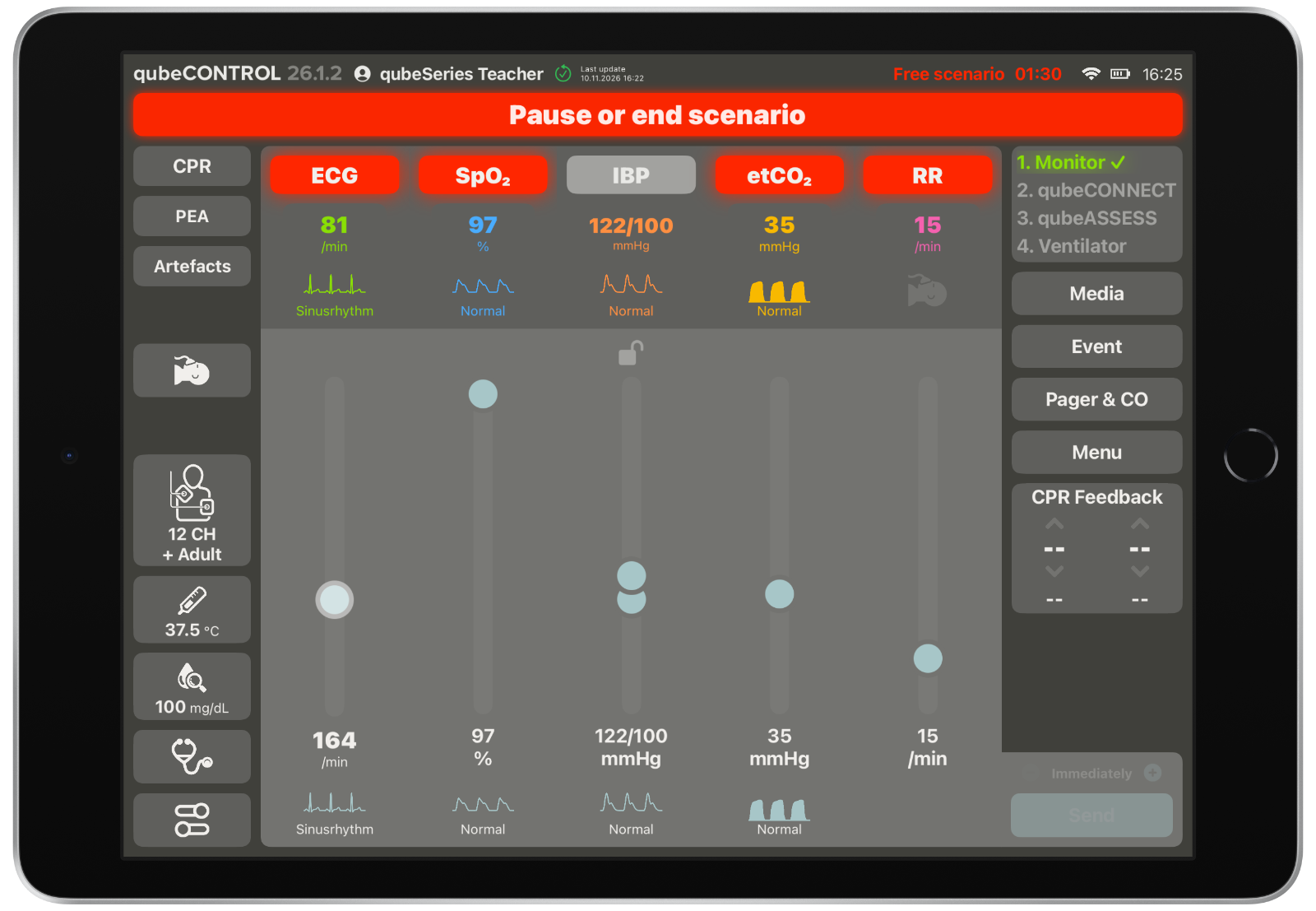
qubeCONTROL is the trainer's iPad in the qubeSERIES. It puts you in control of the simulated patient in real time, adjust waveforms and rhytms, SpO2, Blood Pressure, etCO2 and Respiratory Rate. Control the simulated ventialtor, adjust vitals for qubeASSESS. Designed so you can lead the scenario from start to finish.

Built for instructors in EMS schools, hospitals, universities and simulation centres – so they can focus on the team instead of the technology.

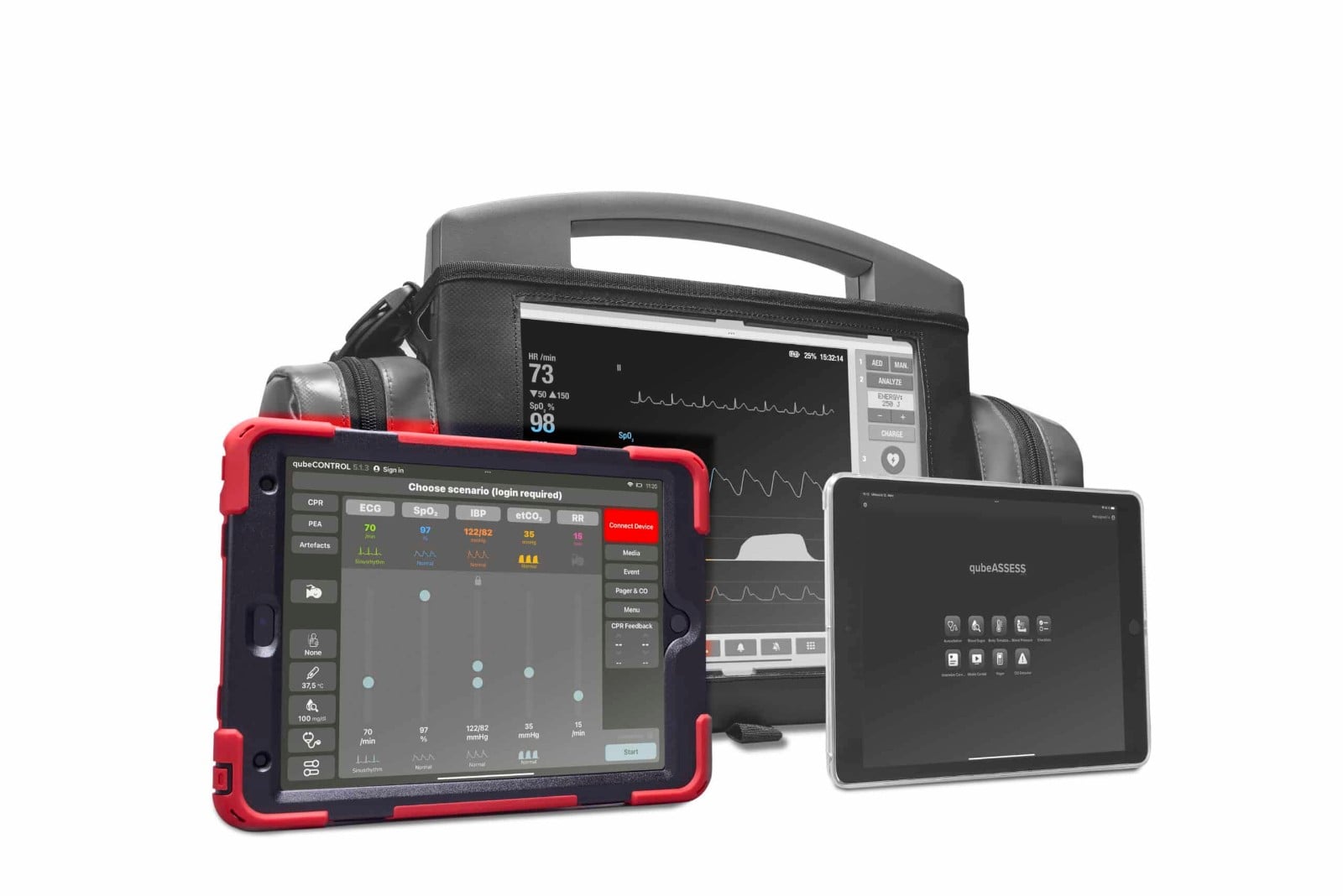
qubeSERIES trio with the qubeCONTROL trainer iPad highlighted next to the patient monitor and qubeASSESS
OVERVIEW

Everything under control

qubeCONTROL is for the trainer, the patient monitor and qubeASSESS are for the team. Every change on qubeCONTROL is transferred instantly and documented in the automatic logbook.

Vital signs

ECG, SpO₂, (N)IBP, , etCO₂ and respiratory rate via sliders. More than 140 waveforms available.

Rhythms & CPR

Rhythm changes during CPR, manual CPR artefacts and PEA.

CPR dashboard

Live CPR and ventilation data, CCF and the SQ CPR Score.

Diagnostics

12-lead ECG quick selection, blood glucose, temperature, lab reports and auscultation.

Scenario control

Choose between preprogrammed scenarios from our qubeCLOUD or start your free scenario

Connection centre

Guided set-up for a smooth start into your training. Get info about how stable your connection is.

Pager & media and SOP files

Send Pager alarm, choose media and SOP files to share with qubeASSESS

Logbook

Documentation of measures and an automatic logbook which can be exported.

PART OF THE QUBESERIES

Monitor. Controller. Assessment.

qubeCONTROL is part of the hardware sets of the qubeSERIES simulators – together with the monitor iPad, qubeASSESS and training cable sets for adults and children, safely and compactly stored in the instructor bag.

  • Run the simulation

  • ECG library

  • Scenarios

  • Media center

  • qubeASSESS control

qubeCONTROL screenshot: main view for controlling vital signs and waveforms

Actively run the simulation

Activate and deactivate vital signs, choose the waveforms your team sees on the monitor and use the sliders to adjust the rates.

Every change is shared with the connected devices – patient monitor, qubeASSESS and ventilation simulator – either instantly or gradually via a trend time.
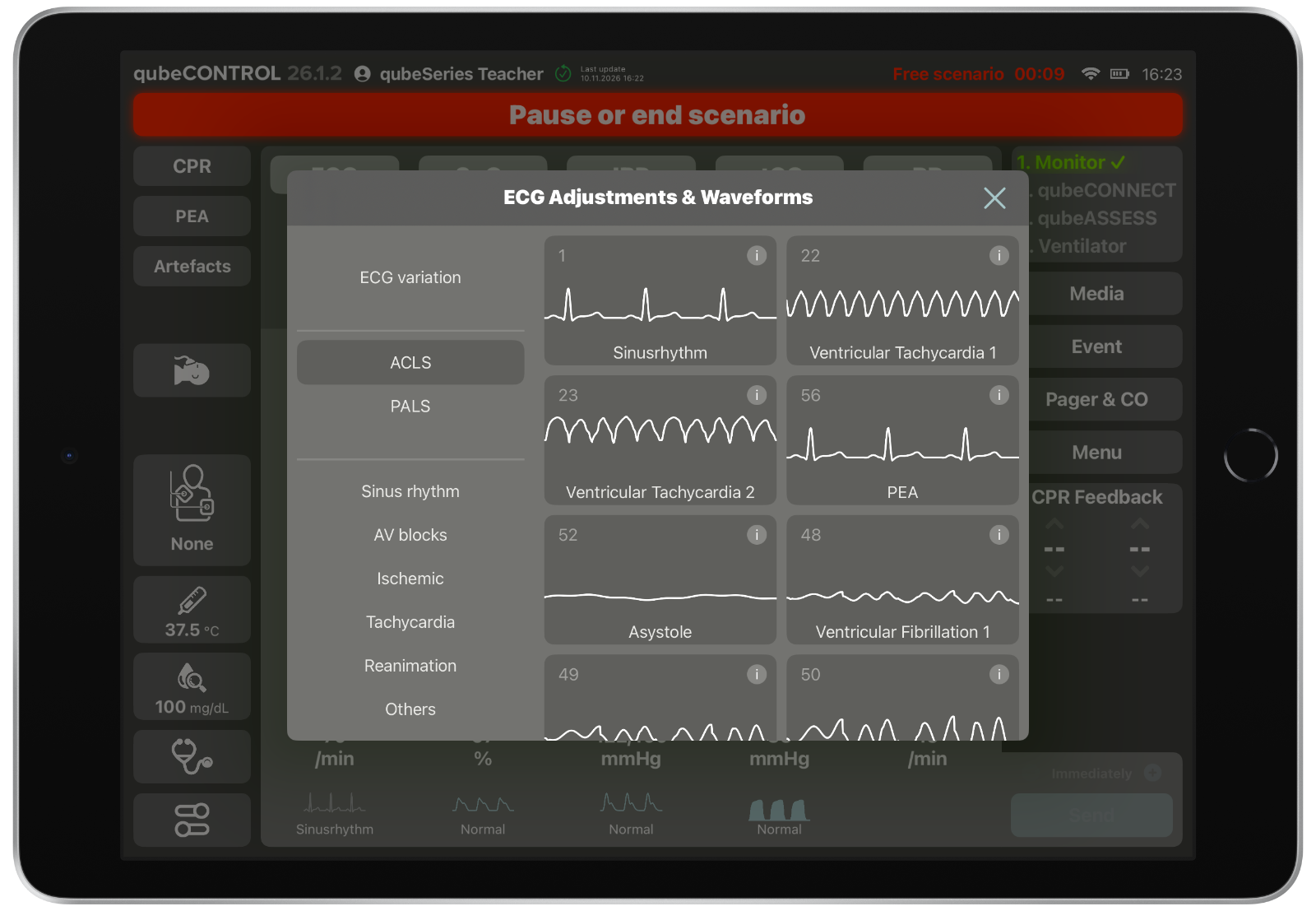
qubeCONTROL screenshot: ECG library

ECG library with more than 80 ECGs

In the qubeCONTROL ECG library, the trainer first selects the waveform and then fine-tunes it via ECG variations – for more than 80 different ECGs.

The rhythm can be changed at any time, also during CPR.
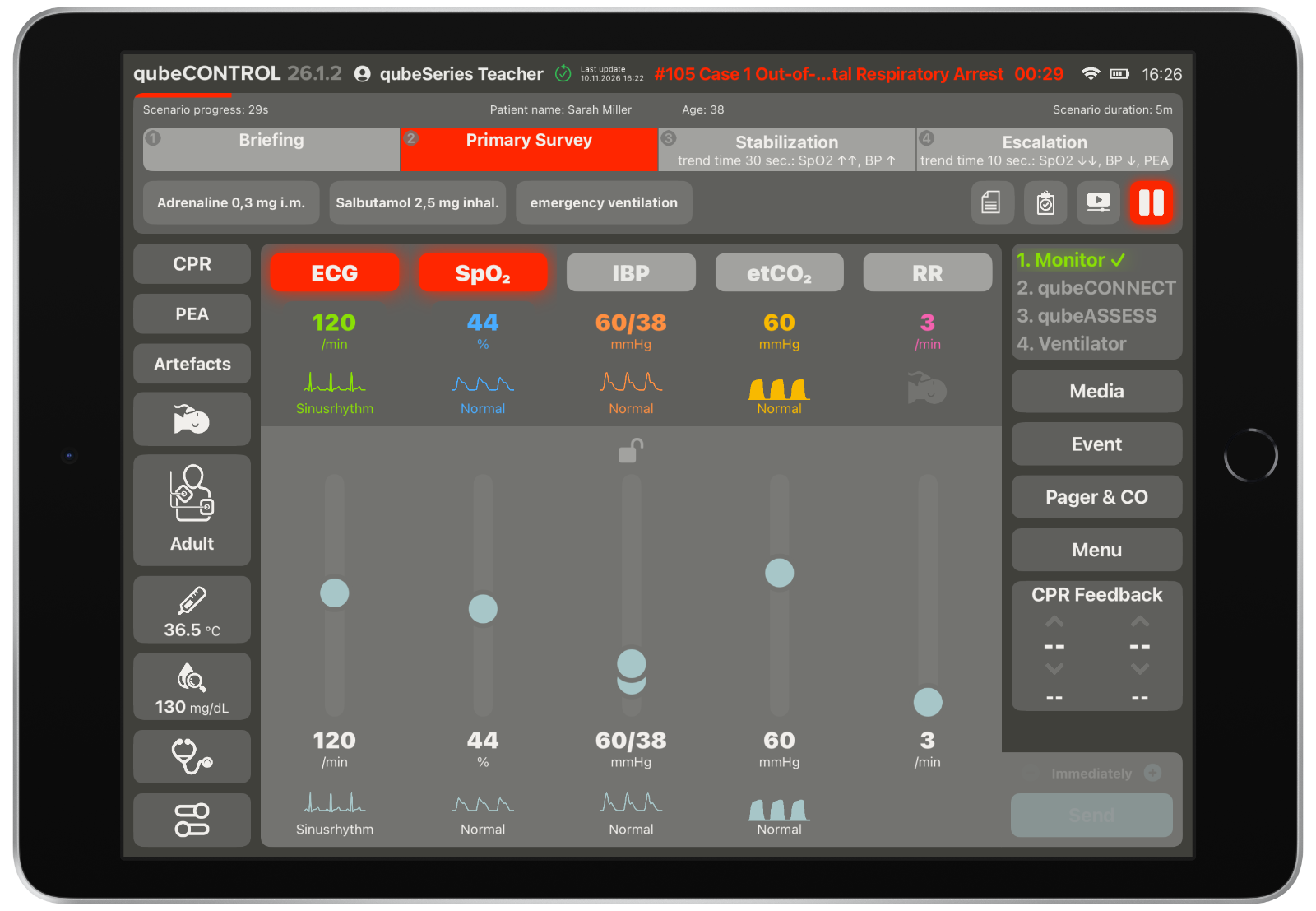
qubeCONTROL screenshot: predefined scenario in the primary survey phase with learning goals

Predefined scenarios with learning goals

Besides free training, qubeCONTROL runs predefined scenarios from qubeCLOUD – either the AHA scenarios provided by SKILLQUBE or scenarios you create yourself.

Each scenario is divided into phases that you define for your own scenarios. A phase can include learning goals: actions the team should perform. If they are missed, the simulated patient usually deteriorates and the scenario can move into an escalation phase.

The trainer can jump to any phase at any time – a confirmation pop-up prevents accidental changes.
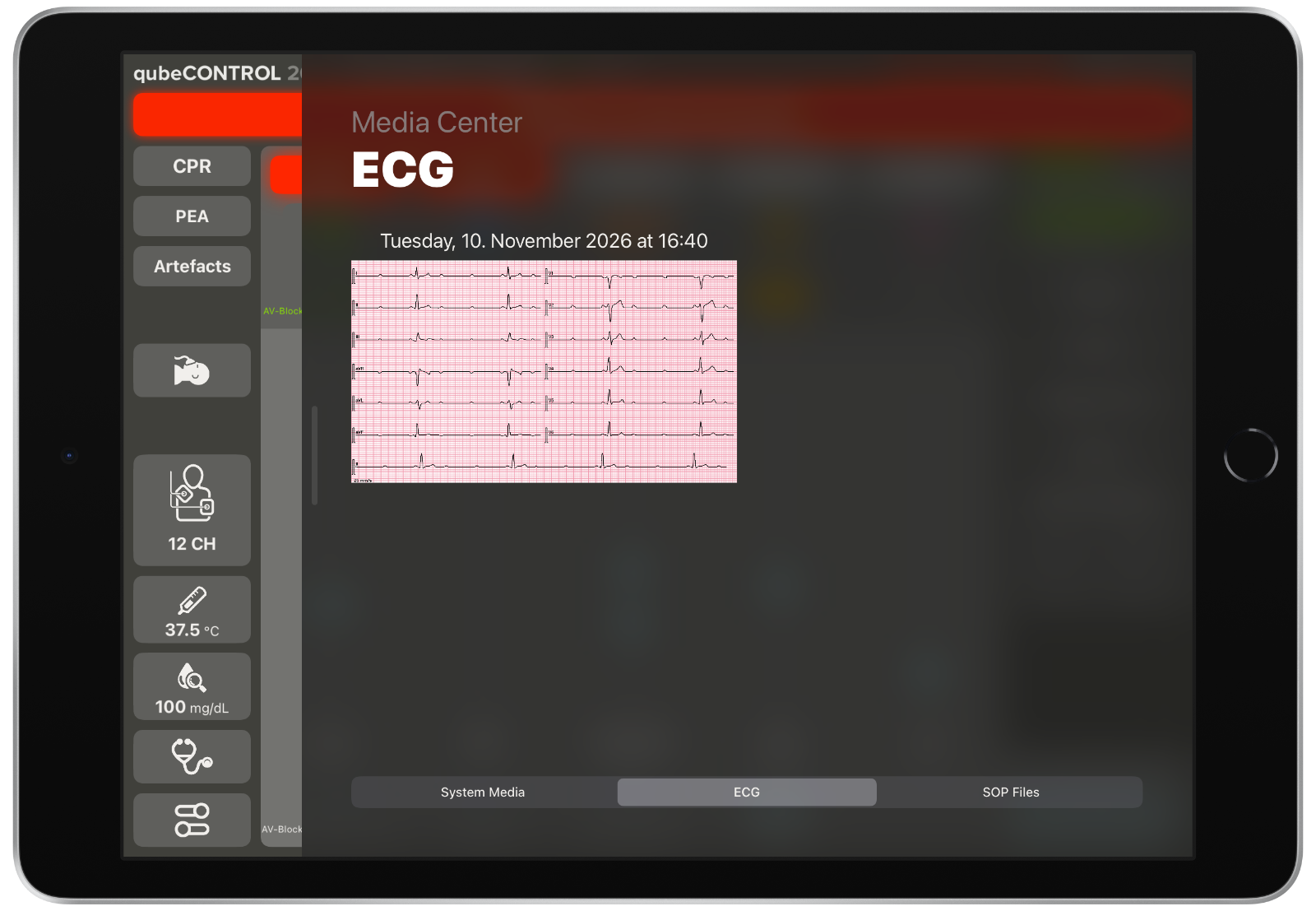
qubeCONTROL screenshot: media center with 12-lead ECG print from the monitor

Media center: ECG prints, lab reports and SOPs

The qubeCONTROL media center lets the trainer release findings to the team during the scenario – such as the 12-lead ECG "printed" from the patient monitor, lab reports or SOP files from qubeCLOUD.

The content appears on qubeASSESS, so trainees interpret real documents instead of hearing a verbal description.
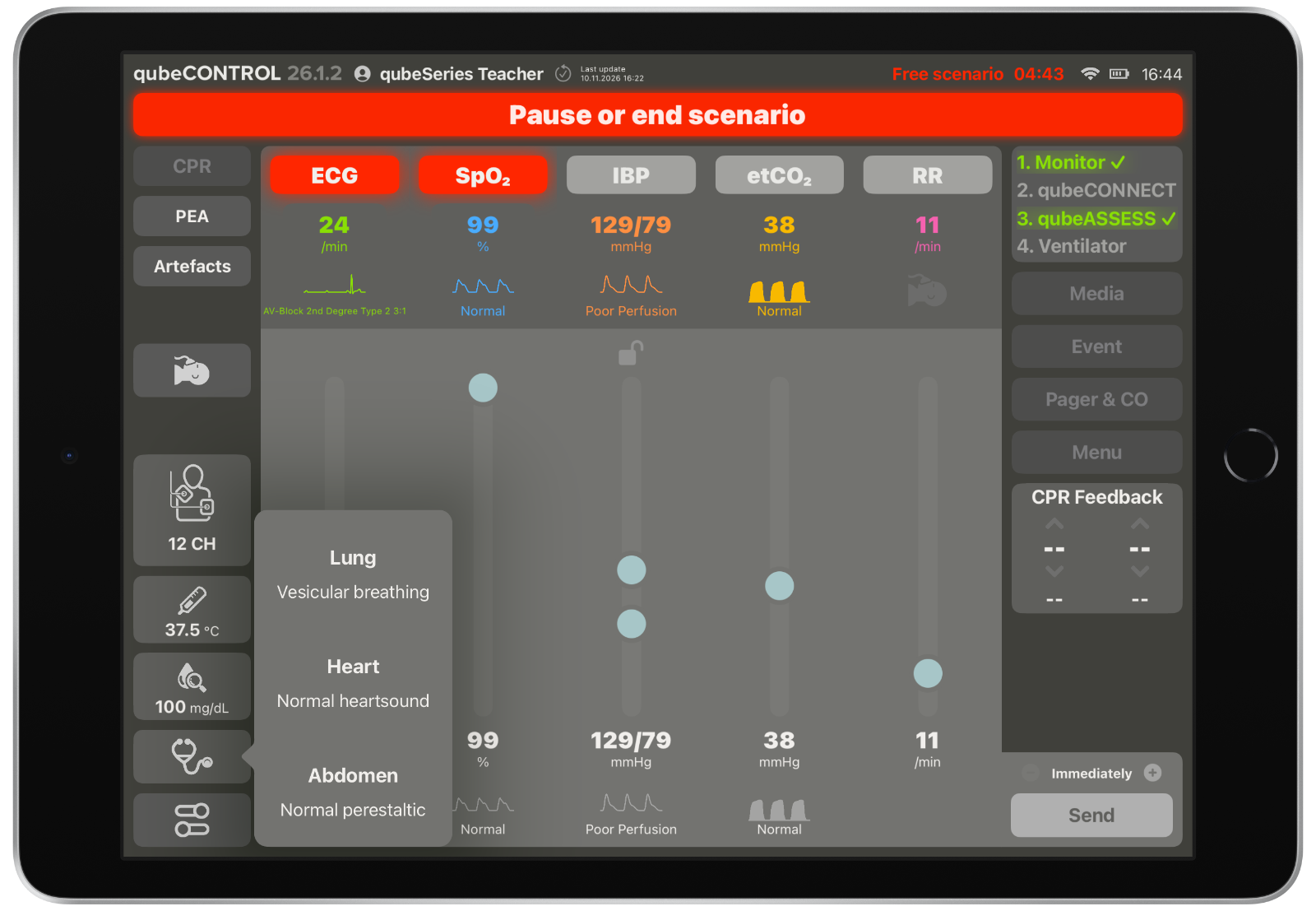
qubeCONTROL screenshot: selecting auscultation sounds for qubeASSESS during a running scenario

Change qubeASSESS findings live during the scenario

With qubeCONTROL, the trainer changes the findings on qubeASSESS dynamically while the scenario is running – values are not just set once beforehand.

Auscultation sounds, body temperature and blood glucose can be adjusted at any time, so every finding matches the current condition of the simulated patient.

SCREENSHOTS

More qubeCONTROL functions

CPR dashboard
Lead configuration
Custom lead configuration
Scenario briefing
Stabilisation phase
Checklist view
Media view
Share media to other devices
SOP files from qubeCLOUD
Manual blood pressure request from qubeASSESS

FAQ

Frequently asked questions about qubeCONTROL

What is qubeCONTROL?

qubeCONTROL is the trainer iPad of the qubeSERIES. It steers the simulated patient in real time – vital signs, rhythms, CPR, examination findings and media – and transfers every change instantly to the simulation monitor and qubeASSESS.

Which values can the trainer control?

ECG, SpO₂, IBP, etCO₂ and respiratory rate via sliders with waveform libraries and trend times, rhythm changes including PEA, manual CPR artefacts, 12-lead ECG quick selection, auscultation sounds, blood glucose, temperature, blood pressure, ICU values and lab reports.

Can scenarios be prepared in advance?

Yes. Scenarios are created in qubeCLOUD – freestyle or scripted – and loaded, played and adapted on qubeCONTROL at any time. All available AHA cases and SKILLQUBE cases can be synchronised with one click.

How does qubeCONTROL work with qubeASSESS and the qubeBOX?

qubeCONTROL sends all findings to qubeASSESS, where the trainees determine them themselves. With the qubeBOX, CPR and ventilation data flow back to qubeCONTROL and appear in the CPR snippet and the CPR dashboard during the scenario.

Is the scenario documented?

Yes. Measures taken by the team are documented on qubeCONTROL, and an automatic logbook records the course of the scenario as a basis for the debriefing.

Which products include qubeCONTROL?

qubeCONTROL is part of the qubeSERIES patient monitor, AED and ventilation simulators – for example the qubeX, qubeC3 or qubeZERO, where Hardware Set "L" includes a qubeCONTROL iPad 11" with protective cover.

CONTACT

Questions about qubeCONTROL? We are happy to help.

Our team is happy to answer your questions about integration, training or technical details – or connect you with your local distributor.

Everything under control with qubeCONTROL